Template · 27-page PDF · Premium
Zero Based Budget Template for Excel, Sheets and Print
Zero based budget template explained: the format, an 8-step build, fixes for variable income, plus trackers and a first-month checklist. See what's inside.
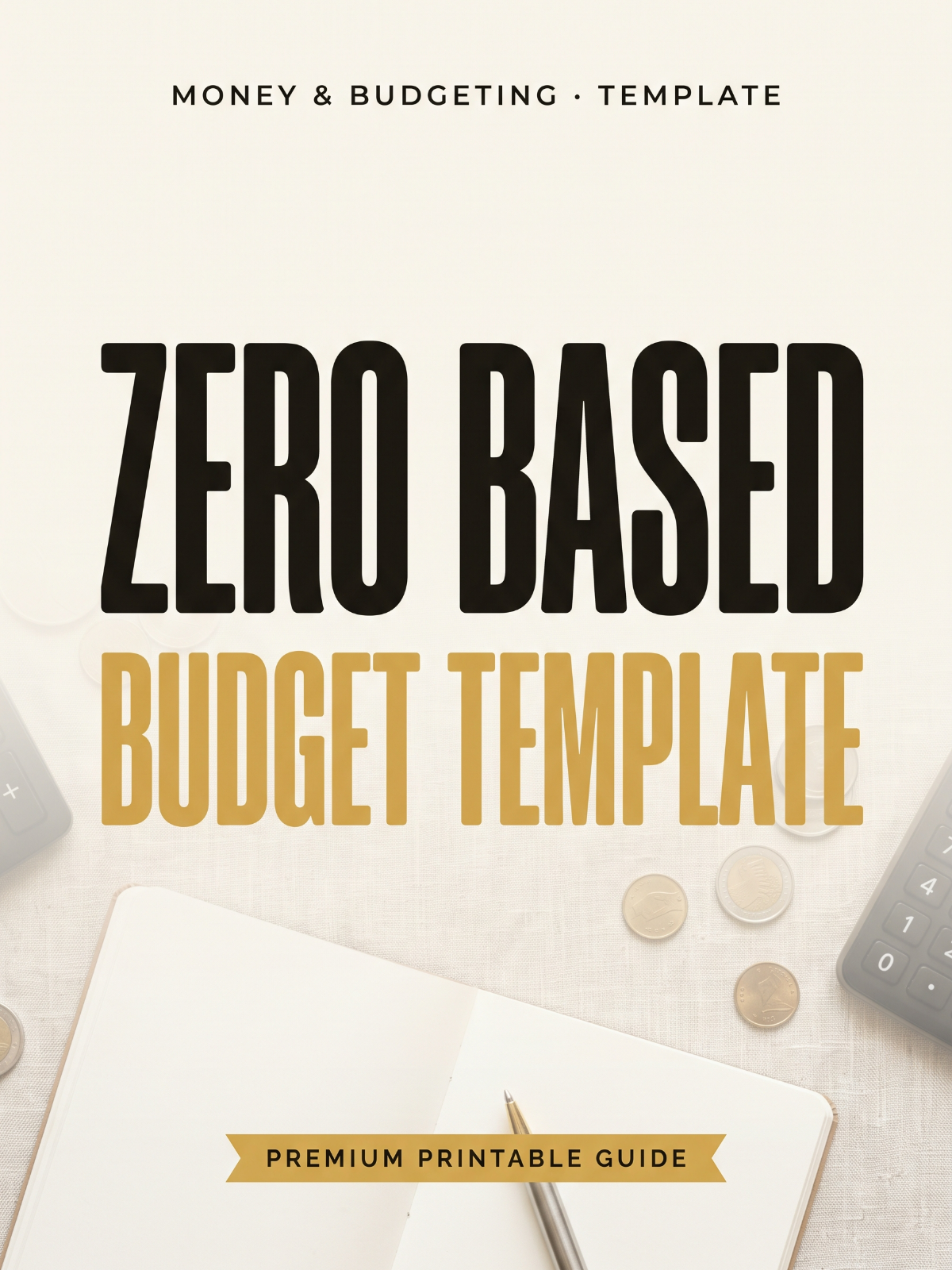
The full workbook, ready to print
- ✓12-month Excel and Google Sheets workbook with formulas pre-written
- ✓Printable PDF budget sheet for pen-and-paper tracking
- ✓8-step build walkthrough done with the template open
- ✓Variable-income templates for tips, hourly, freelance and biweekly pay
- ✓Worked Social Security / fixed low-income budget example
- ✓Built-in debt payoff and savings goal trackers
- ✓First-month setup checklist and partner conversation script
Hosted on FileJoker. Premium members download instantly; free download has a wait.
In a hurry? Free one-page checklist31 items to tick off · print-ready PDF, no sign-upDownload freeA look inside the PDF
11 sections · 27 pages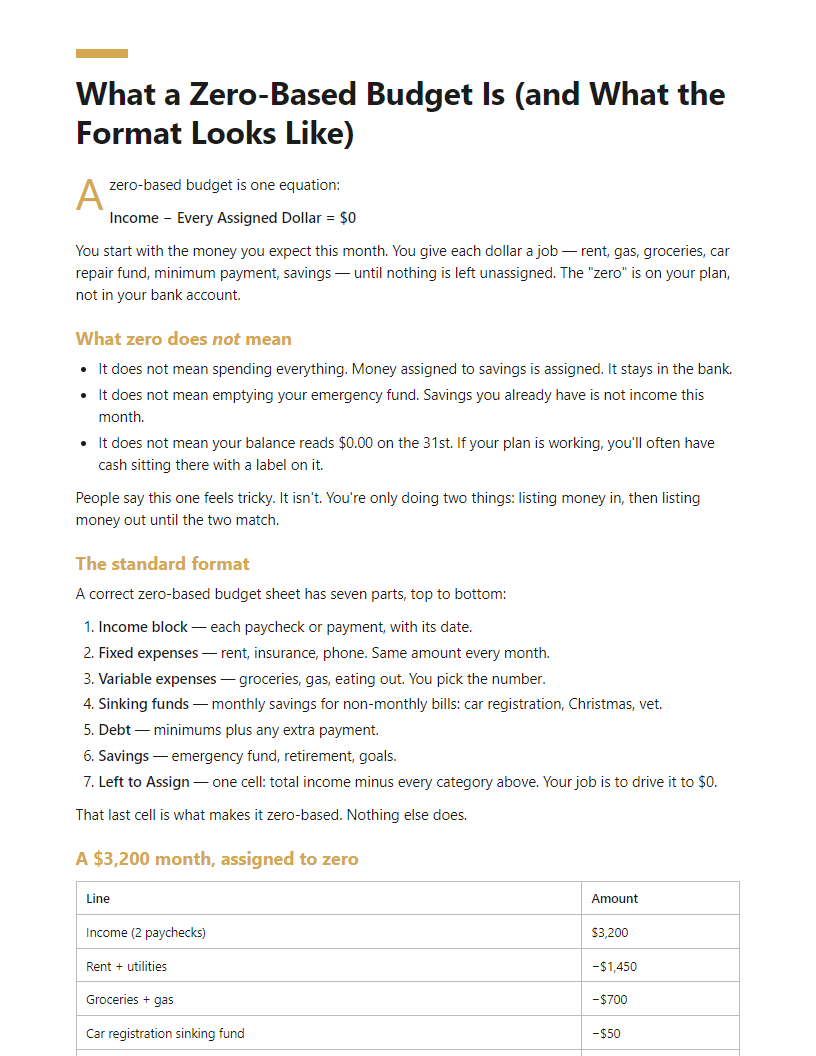
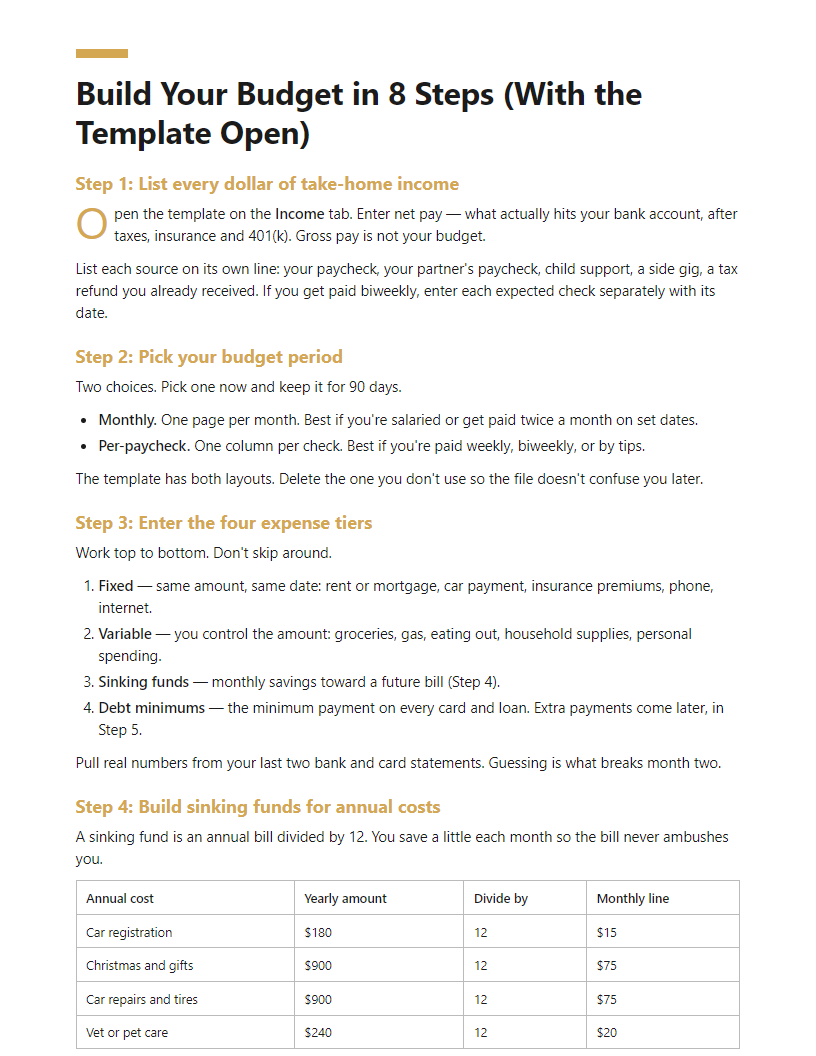
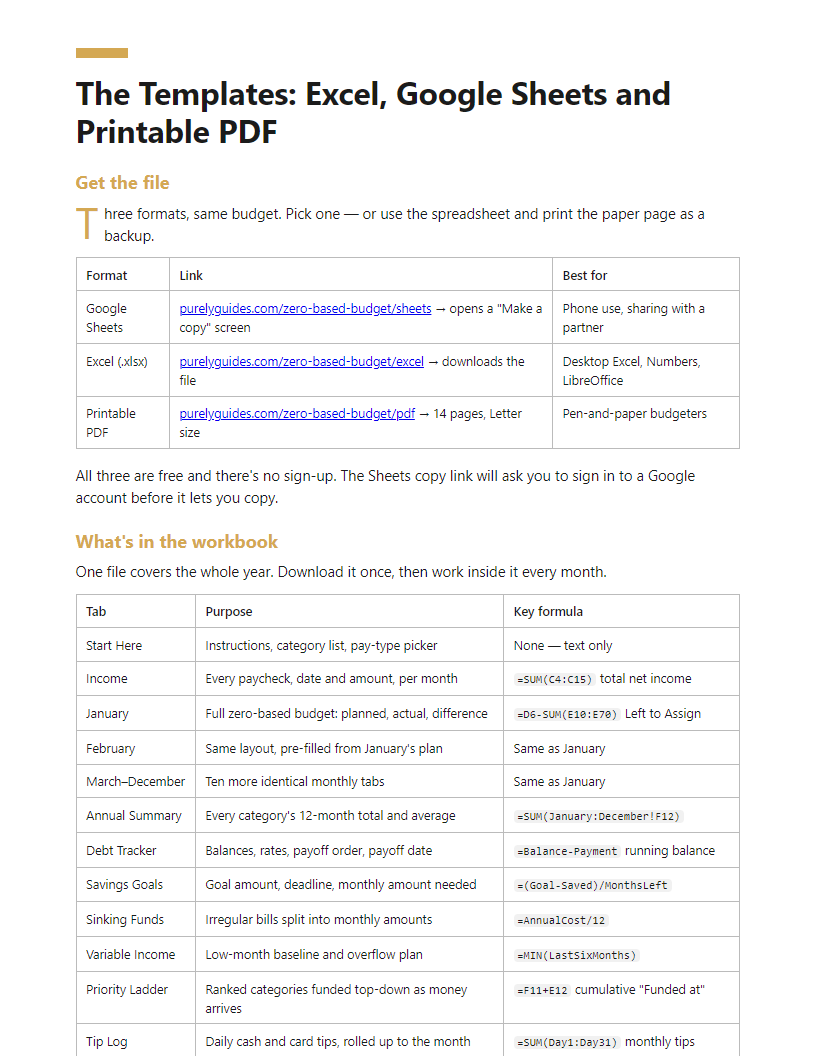
Full table of contents
- Why Most Zero-Based Budgets Fail in Month Two
- What a Zero-Based Budget Is (and What the Format Looks Like)
- Build Your Budget in 8 Steps (With the Template Open)
- The Templates: Excel, Google Sheets and Printable PDF
- Variable Income: Tips, Hourly Shifts, Freelance and Biweekly Pay
- Fixed Low Income and Social Security-Only Budgets
- Optional Categories: Giving, Insurance and Debt Lines
- Trackers: Debt Payoff and Savings Goals Inside the Workbook
- Getting Your Partner On Board
- 11 Mistakes That Break a Zero-Based Budget
- First-Month Setup Checklist
In this article
“I don’t want to build a spreadsheet from scratch — I just want a zero based budget template that works.” That’s the usual starting point, and it’s fair. Most people stall because they don’t know what the format should look like, or because tips, hourly shifts and biweekly paycheques make the numbers move every month.
On this page you get the plain-English definition, the exact structure of the layout, the optional categories people argue about (giving, insurance, debt lines) and the 11 mistakes that quietly break a budget by week three.
The premium PDF goes further: a 12-month workbook in Excel and Google Sheets with formulas already written, a printable version, variable-income and fixed-income builds, and built-in debt and savings trackers.
The short answer
A zero-based budget gives every dollar of income a job, so income minus all assignments equals zero. To build one:
- Write down your expected income for the month.
- List fixed bills (rent, utilities, insurance, minimum debt payments).
- Add variable costs: groceries, fuel, personal spending.
- Assign amounts to savings, sinking funds and extra debt payoff.
- Subtract everything from income until the balance reads exactly zero.
- Track spending through the month and move money between categories when reality shifts.
Use a template so the formulas handle the maths for you.
Why Most Zero-Based Budgets Fail in Month Two
Month one goes well. You list your income, assign every dollar, and the bottom line hits zero. Then February arrives — the car registration is due, your paycheck lands on the 3rd instead of the 1st, and your partner spent $180 you didn’t know about. The worksheet stops matching real life, so you stop opening it.
That’s the difference between a worksheet and a system. A worksheet is one month of math. A system carries balances forward, has a place for the expenses that show up twice a year, and gets reset on the first of every month in under 20 minutes.
Three reasons budgets collapse
- Timing mismatch. Your rent is due on the 1st, but your pay lands on the 7th and 21st. The month balances on paper and still bounces in the bank.
- Missing irregular expenses. Car repairs, annual insurance, dentist visits, Christmas. These aren’t surprises — they’re just not monthly.
- No partner buy-in. One person builds the budget, the other never agreed to it. The plan breaks the first time someone spends.
Who this works for
Salaried workers with a steady monthly deposit. Biweekly earners with 26 paychecks and two “extra” months. Hourly and tipped workers whose income swings week to week. Freelancers and self-employed people with lumpy invoices. Anyone on a fixed low income or Social Security only. Each income type gets its own version of the template in this guide — not a generic one you have to rework.
What’s inside
- A 12-month workbook with live formulas in Excel and Google Sheets, free to copy
- Printable PDF pages if you’d rather write it by hand
- Income-type variants for biweekly, variable and fixed-income budgets
- A debt payoff tracker and savings goal pages built into the same file
- A first-of-the-month reset checklist
If this feels tricky, start here
You don’t need to understand the whole system today. Open the template, type in last month’s take-home pay, and fill in only your four biggest fixed bills. That’s the 20-minute starter path. Nobody taught this in high school — you’re not behind, you’re just starting.
What a Zero-Based Budget Is (and What the Format Looks Like)
A zero-based budget is one equation:
Income − Every Assigned Dollar = $0
You start with the money you expect this month. You give each dollar a job — rent, gas, groceries, car repair fund, minimum payment, savings — until nothing is left unassigned. The “zero” is on your plan, not in your bank account.
What zero does not mean
- It does not mean spending everything. Money assigned to savings is assigned. It stays in the bank.
- It does not mean emptying your emergency fund. Savings you already have is not income this month.
- It does not mean your balance reads $0.00 on the 31st. If your plan is working, you’ll often have cash sitting there with a label on it.
People say this one feels tricky. It isn’t. You’re only doing two things: listing money in, then listing money out until the two match.
The standard format
A correct zero-based budget sheet has seven parts, top to bottom:
- Income block — each paycheck or payment, with its date.
- Fixed expenses — rent, insurance, phone. Same amount every month.
- Variable expenses — groceries, gas, eating out. You pick the number.
- Sinking funds — monthly savings for non-monthly bills: car registration, Christmas, vet.
- Debt — minimums plus any extra payment.
- Savings — emergency fund, retirement, goals.
- Left to Assign — one cell: total income minus every category above. Your job is to drive it to $0.
That last cell is what makes it zero-based. Nothing else does.
A $3,200 month, assigned to zero
| Line | Amount |
|---|---|
| Income (2 paychecks) | $3,200 |
| Rent + utilities | −$1,450 |
| Groceries + gas | −$700 |
| Car registration sinking fund | −$50 |
| Credit card minimum + $100 extra | −$250 |
| Emergency fund | −$750 |
| Left to Assign | $0 |
How it differs from other methods
| Traditional budget | Zero-based budget | |
|---|---|---|
| Income | $3,200 | $3,200 |
| Listed expenses | $2,450 | $2,450 |
| Savings line | “whatever’s left” | $750, written in |
| Left to Assign | $750 — unassigned | $0 — fully assigned |
That $750 with no job is where the money disappears.
- 50/30/20 sets three big buckets by percentage. Zero-based names every line inside them.
- Cash envelope stuffing is a method of holding money. You can stuff envelopes using a zero-based plan — they work together.
- Track-what-you-spent budgeting is a review after the fact. Zero-based is a decision made before the month starts.
Optional Categories: Giving, Insurance and Debt Lines
“Giving” — why it’s the first line on so many templates
If you’ve seen a budget template with Giving at the top, that’s borrowed from Dave Ramsey-style budgeting, where it means tithing — traditionally 10% of income to a church. That’s a religious practice, not a budgeting rule.
Nothing breaks if you set it to $0. The math still works, and a budget with a $0 giving line is not an incomplete budget. The line exists because money that leaves your account regularly needs a job, and for millions of households that money goes to a church or charity.
Secular versions of the same line:
- Gifts fund — birthdays, weddings, baby showers, holidays
- Community fund — mutual aid, GoFundMe links, a neighbor’s fundraiser
- Charity — recurring donations to one or two organizations
- Family support — money you send to a parent or sibling
Pick whichever name matches your life and rename the cell in the template.
Scaling the giving line
Percentages are a starting point, not a requirement. Some people give 10%. Some give 2%. Some give $20 a month. Some give nothing this year because they’re $14,000 in credit card debt and giving time instead. On a fixed low income, $0 is the normal answer.
Tip: If you want to give but money is tight, set the line to $25 and raise it when your income does. A funded line you can actually keep beats a big number you cancel in March.
Insurance when no employer covers you
Employer insurance usually comes out of gross pay, so it never appears in your budget. If you’re freelance, self-employed, or between jobs, those premiums hit your checking account and need their own lines:
| Line | How it’s usually billed | Where to budget it |
|---|---|---|
| Health | Monthly premium | Fixed expense |
| Life (term) | Monthly or annual | Fixed, or sinking fund if annual |
| Auto | Every 6 months | Sinking fund — premium ÷ 6 |
| Renters / homeowners | Annual or monthly | Sinking fund if annual |
| Disability | Monthly | Fixed expense |
For anything billed every 6 or 12 months, divide by the number of months and park it in the Sinking Funds tab. A $720 auto policy is $120 a month, not a surprise in July.
One point worth knowing: employer life insurance normally ends when the job does. A policy you buy yourself stays with you between jobs.
Warning: This guide is educational and not insurance or financial advice. Before buying anything, talk to a licensed broker or use the official health insurance marketplace. Ask: What does this cover and exclude? What’s the deductible and out-of-pocket max? Is the premium locked or does it rise? How are you paid — commission or flat fee? Can I cancel without penalty?
Debt lines: two kinds
Give debt two separate rows.
- Minimum payments — one line per debt, in the Fixed Expenses block. These are non-negotiable bills.
- Extra debt payment — a single assigned line, aimed at one target debt.
Keeping them apart shows you exactly how much progress money you have.
If you’re following the baby steps
The step order maps onto the template like this:
- Step 1 — $1,000 starter fund → Savings Goals tab, funded before extra debt payments
- Step 2 — debt snowball → Extra Debt Payment line, smallest balance first
- Step 3 — 3–6 months of expenses → Savings Goals tab
- Steps 4–6 — retirement, college, mortgage → their own assigned lines once Step 3 is full
Same template. You’re just deciding which line gets the leftover dollars first.
11 Mistakes That Break a Zero-Based Budget
Most budgets don’t collapse from one big disaster. They break from one of these eleven small errors. Each one has a fix that takes under ten minutes.
1. Budgeting gross pay instead of take-home. You earn $4,800 a month but $3,710 hits the bank. Budget the $4,800 and you’re short $1,090 before you buy a single thing. Fix: pull up your bank deposit, not your pay stub’s top line. Net pay only.
2. Forgetting annual and quarterly bills. Car registration, insurance premiums, property tax, Amazon Prime, the dentist. These aren’t emergencies — they’re scheduled. They just don’t come monthly, so the budget “fails” in March. Fix: list every non-monthly cost, divide by 12, and fund those sinking fund lines every single month.
3. Zeroing out to the exact penny with no cushion. A budget with no slack snaps the first time gas costs $7 more. Fix: add a Miscellaneous line of $50–$100 before you balance to zero. It’s not lazy budgeting. It’s the shock absorber.
4. Using forty categories. Nobody tracks “cleaning supplies” separately from “paper goods” for three months straight. Over-categorizing is why the concept starts to feel tricky. Fix: cap it around 15–20 lines. Combine. One Household line is enough.
5. Never recording actuals. You plan the month, feel organized, and never enter a number again. Planned vs. Actual stays blank, so you learn nothing and next month is another guess. Fix: five minutes, twice a week. Open the monthly tab, copy figures from your bank app, done.
6. Treating an overspend as failure. You spent $412 on groceries against a $350 plan. That is not a broken budget — that is information. Fix: move $62 from another line. Dining out, clothing, fun money, whatever you’re willing to give up. Reassign and the bottom line returns to zero. A zero-based budget is meant to be edited mid-month.
7. Starting mid-month without a cash-flow calendar. Your plan balances for the month, but rent is due on the 1st and the paycheck lands on the 5th. Timing, not totals, is what bounces payments. Fix: write pay dates and due dates on one calendar before the month starts. Move what you can; pre-fund what you can’t.
8. Budgeting variable income on a good month. If you make tips or hourly shifts, your $4,100 month is not your number. Fix: use your lowest month from the last six as your baseline, cover essentials with that, then assign anything extra down a ranked list.
9. Expecting it to be right the first month. Month one is a measurement, not a verdict. Expect your first grocery estimate to be well off — it’s the line almost everyone misjudges. Fix: plan to redo the numbers at the end of month one with real data.
10. Building it alone when two people spend. One person’s spreadsheet is not a household budget. Fix: both names on the file, one 20-minute meeting on the first.
11. Quitting after one bad month. Skipping a month doesn’t erase progress. Fix: open a fresh monthly tab and start from today’s balances. Nothing to make up.
Zero-Based Budget FAQ
What is a zero-based budget, in one sentence?
It’s a budget where you assign every dollar of expected income to a specific job — bills, groceries, savings, debt — until income minus assigned dollars equals exactly $0.
How do I create one if I’ve never budgeted before?
Five moves, in this order:
- Add up your take-home pay for the month — what hits the bank, not gross.
- List fixed bills with due dates (rent, utilities, insurance, minimum debt payments).
- List variable spending (groceries, gas, eating out) using last month’s bank statement as your guide.
- Add savings lines — starter emergency fund, plus a car repair and gift fund so annual costs stop ambushing you.
- Subtract the total from income. If there’s money left, assign it. If you’re negative, cut until you hit zero.
Done at a kitchen table, this takes 30 to 45 minutes the first time and about 15 minutes each month after.
Is there a free Excel or Google Sheets template that does the math for me?
Yes. The workbook in this guide downloads as an Excel file, copies to Google Sheets in one click, and prints as a PDF if you’d rather write by hand. The formulas are already built: category totals, a “Left to Assign” cell that turns red when you overspend, and planned-versus-actual columns. You fill in numbers. You don’t build anything.
What’s the correct format of a zero-based budget sheet?
Three columns and a bottom line:
| Category | Planned | Actual |
|---|---|---|
| Rent | 1,400 | 1,400 |
| Groceries | 500 | 537 |
| Car repair fund | 75 | 75 |
| Left to assign | 0 | — |
Income sits at the top. Categories group below it — Giving, Housing, Transportation, Food, Insurance, Debt, Savings, Personal. The last row shows income minus the planned column. That row must read $0.
How do I budget when my income changes every paycheck?
Budget your floor, not your average. Look at your last 6 to 12 months and find the lowest month — that’s the number you plan around. For tipped work, count cash and card tips separately when you log them, since card tips often land in your paycheck and cash doesn’t.
Then build a ranked list of what gets funded when extra money comes in: catch up on bills, fill the emergency fund, extra debt payment, next savings goal. Good weeks fund the list from the top down. Slow weeks just don’t.
Does my bank balance have to hit zero?
No — and it shouldn’t. The zero is on paper, not in your account. Money you assigned to the car repair fund or next month’s rent still sits in the bank. It just has a job already. Keep a small buffer in checking so timing gaps don’t trigger overdrafts.
What do long-term budgeters say actually works?
The same three things: check in weekly instead of monthly, keep a sinking fund for irregular costs, and expect to move money between categories mid-month. Adjusting isn’t failing. Abandoning the sheet is.
- ✓12-month Excel and Google Sheets workbook with formulas pre-written
- ✓Printable PDF budget sheet for pen-and-paper tracking
- ✓8-step build walkthrough done with the template open
- ✓Variable-income templates for tips, hourly, freelance and biweekly pay
- ✓Worked Social Security / fixed low-income budget example
- ✓Built-in debt payoff and savings goal trackers
- ✓First-month setup checklist and partner conversation script
Frequently asked questions
How do I create a zero-based budget step by step?
Start with the income you can reasonably expect this month. List fixed bills first, then variable categories, then savings and debt payoff. Keep assigning until income minus assignments equals zero — not a penny unassigned. Track spending as it happens and reallocate between categories mid-month when a line runs short. Redo the exercise fresh each month, because no two months are identical.
Is there an Excel template that builds a zero-based budget for me?
Yes — a spreadsheet template can do the arithmetic automatically. The premium workbook here includes Excel and Google Sheets versions with formulas already written: income totals, category subtotals, a live "left to assign" cell that must hit zero, 12 monthly tabs, and debt and savings trackers. A printable PDF version is included for anyone who prefers pen and paper.
What is the format of a zero-based budget?
The format is a single column of income at the top, then grouped expense categories below: housing, utilities, food, transport, insurance, debt, savings, personal. Each line has a planned amount, an actual amount and a difference. At the bottom sits the balance line: total income minus total assigned. When that line shows zero, the budget is complete.
What exactly is a zero-based budget?
It's a method where you assign every dollar of income to a specific purpose before the month begins, so your plan balances to zero. Zero doesn't mean an empty bank account — savings, investing and sinking funds are assignments too. The benefit is visibility: nothing drifts away unnoticed, because each dollar already has a named job.
How do I budget with irregular or biweekly income?
Budget from your lowest realistic month rather than your best one. Rank categories by priority, fund essentials first, then work down the list as money arrives. For biweekly pay, plan by paycheque instead of by calendar month and set aside the two extra cheques each year. The PDF includes dedicated templates for tips, hourly shifts, freelance work and biweekly pay cycles.
Is there a version for Social Security or a fixed low income?
Yes. Fixed-income budgeting needs tighter category counts and realistic sinking funds for medical costs, repairs and annual bills. The PDF contains a worked example built around a single fixed monthly deposit, showing which categories to keep, which to merge, and how to cover irregular expenses without credit.
We collected 99 real questions and comments about "zero based budget template" (20 from YouTube comments, 4 from People Also Ask, 75 from search suggestions), grouped them into 12 recurring problems, and built this guide to resolve the 6 that block people most. The top-ranking pages were reviewed for gaps; 7 of those gaps became dedicated sections.
Edited by Alex Hirn · Last updated October 17, 2026 · How we make our guides
More in Money & Budgeting
 premium
 premium
 premium
 premium