Template · 15-page PDF · Premium
How to List Resume References (Format, Examples, Red Flags)
How to list resume references on a separate sheet: exact format, 3-4 names, sample layouts, red flags to avoid, plus a premium template pack. Start here.
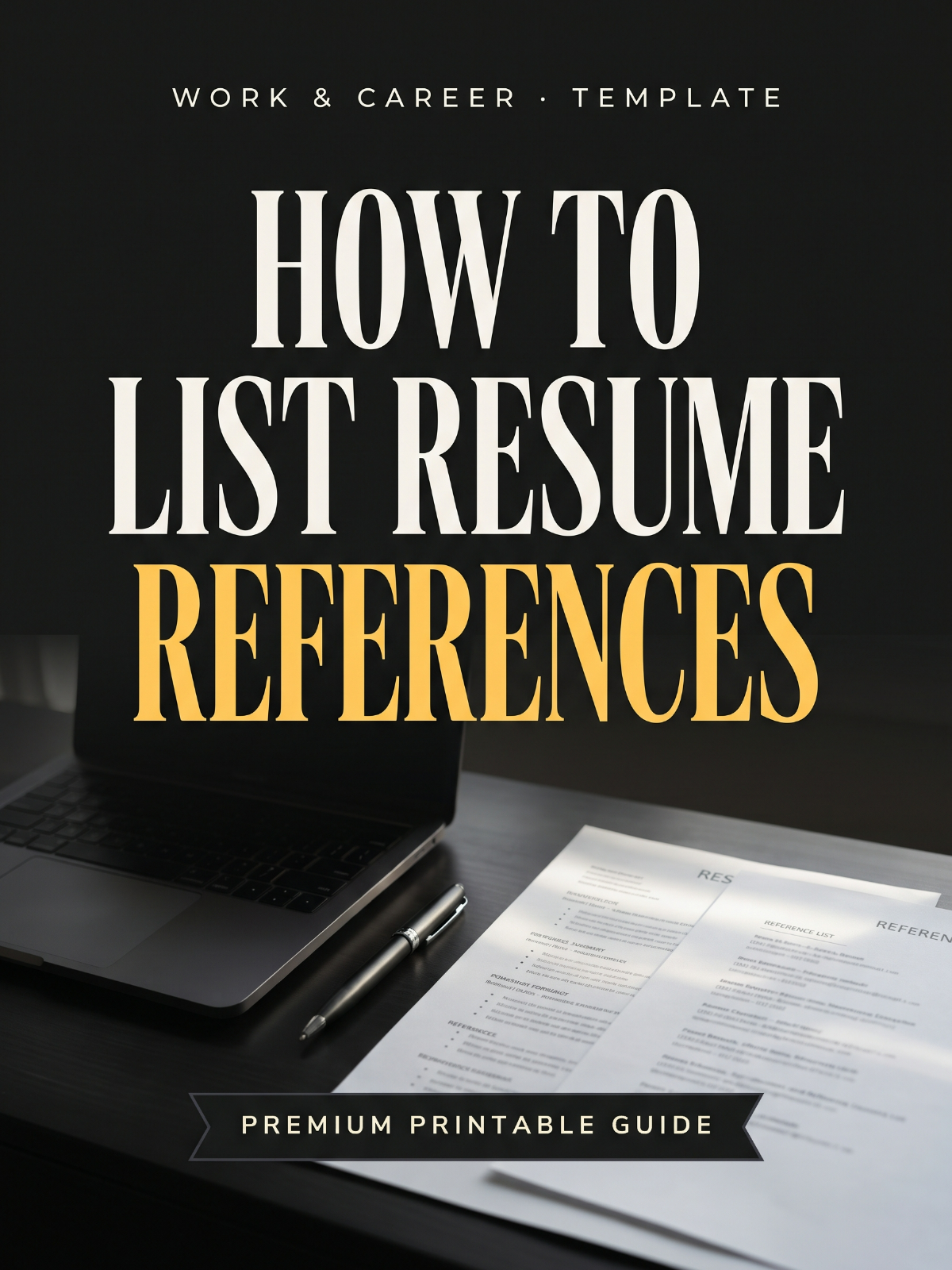
The full workbook, ready to print
- ✓Seven-step build sequence for a reference sheet, from shortlist to final PDF
- ✓Four copy-ready layouts: standard, student/fresher, career-change, and UK/CV referee format
- ✓Word-for-word permission script plus briefing and re-confirmation emails
- ✓Five legitimate substitutes when you have zero professional references
- ✓Reference contact tracker table: names, roles, last contacted, consent date
- ✓Pre-send checklist covering file naming, formatting match, and detail verification
Hosted on FileJoker. Premium members download instantly; free download has a wait.
In a hurry? Free one-page checklist30 items to tick off · print-ready PDF, no sign-upDownload freeA look inside the PDF
9 sections · 15 pages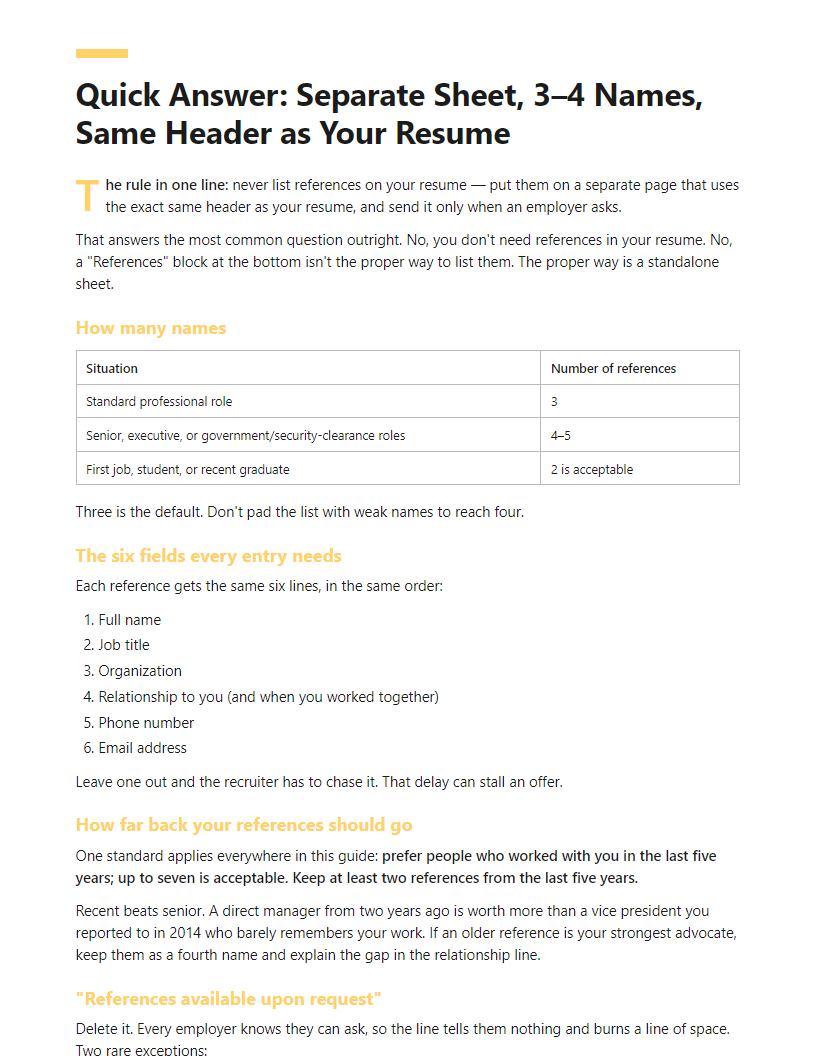
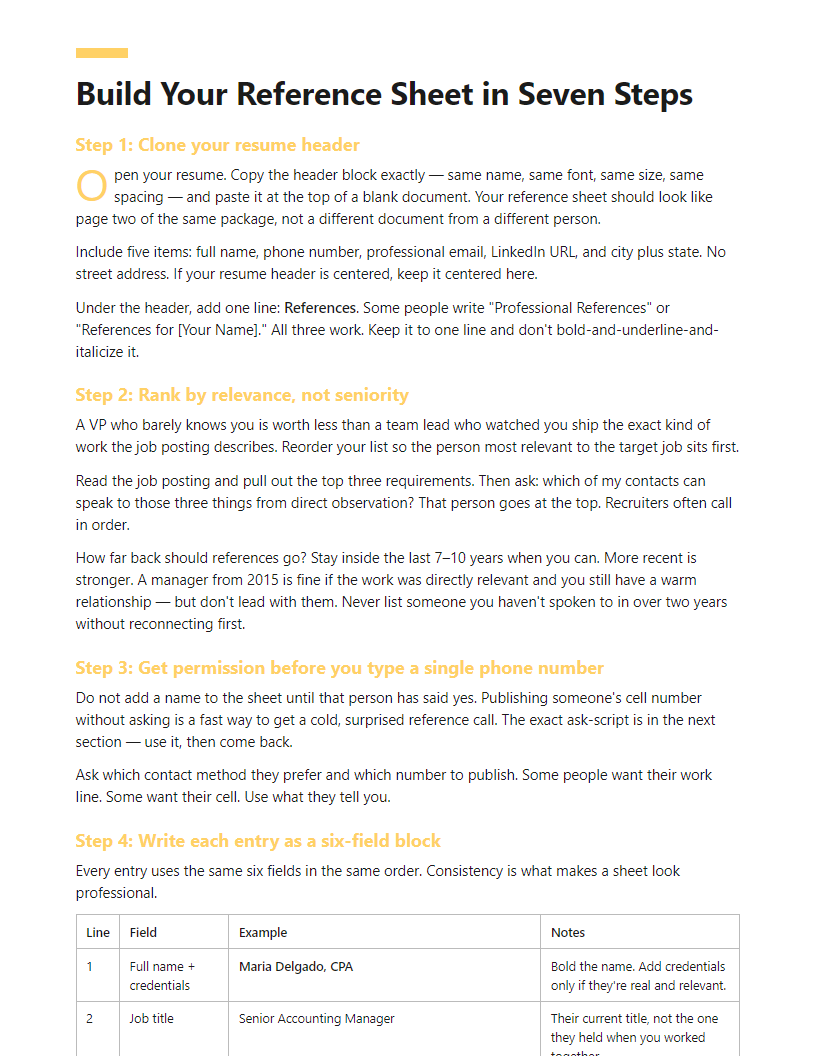
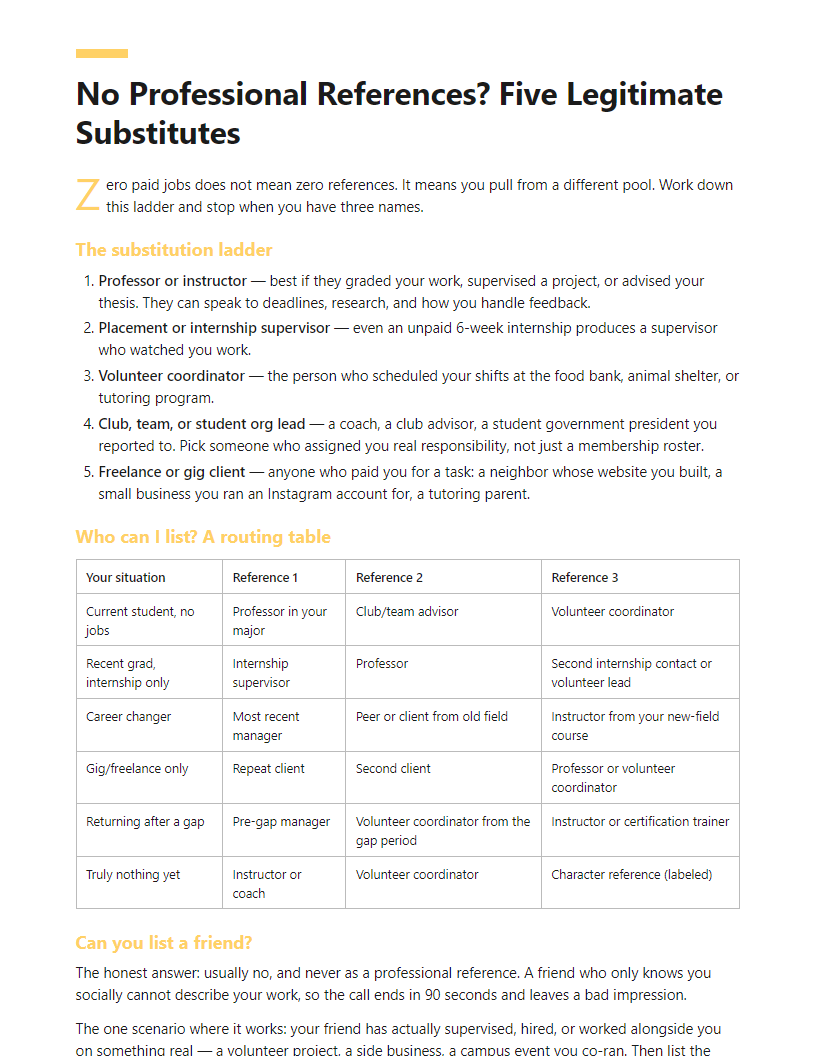
Full table of contents
- Why References Belong Off Your Resume (and Where They Belong Instead)
- Quick Answer: Separate Sheet, 3–4 Names, Same Header as Your Resume
- Build Your Reference Sheet in Seven Steps
- Copy-Ready Templates: Standard, Student, Career-Change, and UK/CV Variants
- The Permission Script: Asking, Briefing, and Re-Confirming Your References
- No Professional References? Five Legitimate Substitutes
- Online Reference-Check Links vs Traditional Letters
- Reference Red Flags: Nine Mistakes That Cost People Offers
- Reference Contact Tracker and Pre-Send Checklist
In this article
“Do references even go on my resume anymore?” You’ve seen “References available upon request” on old templates, a recruiter asking for an online reference-check link, and no clear answer anywhere. Maybe you’re a student or career changer wondering whether a friend counts, or whether you can apply at all without professional contacts.
This page shows you how to list resume references the way recruiters expect: on a separate sheet, with a matching header, 3-4 names, and the exact fields each entry needs. You’ll also see nine reference mistakes that quietly cost people offers.
The premium PDF adds copy-ready templates (standard, student, career-change, UK/CV), a permission script, substitutes when you have no professional references, and a contact tracker.
The short answer
- Keep references off the resume itself - use that space for achievements.
- Build a separate reference sheet with the same header, font, and contact block as your resume.
- List 3-4 references, strongest first: name, job title, company, relationship to you, phone, email.
- Ask permission before listing anyone, and confirm the best contact details.
- Brief each reference on the role and what to emphasise.
- Send the sheet only when asked, as a PDF named
Firstname-Lastname-References.pdf. - Skip “References available upon request” - it’s assumed and wastes a line.
Why References Belong Off Your Resume (and Where They Belong Instead)
Short answer: keep references off your resume. Put them on a separate sheet you send when asked.
Here’s why. Your resume gets parsed by applicant tracking software before a human sees it. Reference blocks add noise, eat space, and rarely map to a useful field. You also have one or two pages to prove you can do the job. Four names and phone numbers can cost you five lines you’d rather spend on results. Recruiters know references exist. They skip that block and look for your work.
“References available upon request” is dead weight too. It states the obvious and takes a line.
The three places references actually belong
| Placement | When to use it |
|---|---|
| Separate reference sheet | Default. Send when a recruiter or hiring manager asks. |
| Application form field | Some portals require names and contacts before you submit. Fill them in with people who already said yes. |
| Post-interview email attachment | After a strong interview, attach the sheet when they ask for next steps. |
When references do go on the document
A few cases flip the rule:
- Academic CVs. Referees are standard, often three, with institutional titles and emails.
- Some government and public-sector applications. The form dictates the format. Follow it.
- Many UK and EU applications. Named referees on the CV are still common there.
- The job ad says so. If the posting asks for references with your application, include them. Ignoring written instructions is its own red flag.
The privacy argument settles it
You are publishing someone else’s phone number. Resumes get forwarded, uploaded to job boards, and stored in databases you don’t control. Your old manager didn’t agree to that. Holding references back isn’t obstruction — it’s basic courtesy, and most recruiters expect it.
If you resent being asked at all, that’s fair. But you control timing. You hand over names after there’s real interest, to people who have agreed to be contacted.
This guide gives you the sheet template, the permission script to send every contact, a tracker to keep details current, and a playbook if you have no professional references yet.
Quick Answer: Separate Sheet, 3–4 Names, Same Header as Your Resume
The rule in one line: never list references on your resume — put them on a separate page that uses the exact same header as your resume, and send it only when an employer asks.
That answers the most common question outright. No, you don’t need references in your resume. No, a “References” block at the bottom isn’t the proper way to list them. The proper way is a standalone sheet.
How many names
| Situation | Number of references |
|---|---|
| Standard professional role | 3 |
| Senior, executive, or government/security-clearance roles | 4–5 |
| First job, student, or recent graduate | 2 is acceptable |
Three is the default. Don’t pad the list with weak names to reach four.
The six fields every entry needs
Each reference gets the same six lines, in the same order:
- Full name
- Job title
- Organization
- Relationship to you (and when you worked together)
- Phone number
- Email address
Leave one out and the recruiter has to chase it. That delay can stall an offer.
How far back your references should go
One standard applies everywhere in this guide: prefer people who worked with you in the last five years; up to seven is acceptable. Keep at least two references from the last five years.
Recent beats senior. A direct manager from two years ago is worth more than a vice president you reported to in 2014 who barely remembers your work. If an older reference is your strongest advocate, keep them as a fourth name and explain the gap in the relationship line.
“References available upon request”
Delete it. Every employer knows they can ask, so the line tells them nothing and burns a line of space. Two rare exceptions:
- An application form has a references field you cannot leave blank. Type the phrase there.
- You’re using a one-page academic or federal format that explicitly calls for it.
When to hand it over
Send the sheet the moment it’s requested — same day if you can. Also bring two printed copies to any in-person interview and offer one at the end. Attach it unprompted only when the job posting asks for references with the application.
Online Reference-Check Links vs Traditional Letters
More employers now skip the letter entirely. Instead you get an email with a link to a platform like SkillSurvey, Checkster, or Xref, and you’re asked to enter your references’ email addresses. If your reaction is “why not just take a letter?” — fair. Here’s what’s actually happening.
Why employers use the link
A letter on company letterhead can be written by anyone, including the candidate. Automated platforms verify that the response came from a work email address, timestamp it, and store it. Vendors market that stored record as an audit trail an employer can produce if a hiring decision is ever questioned. They also market the standardized question set as a way to keep every reference answering the same things, which they say supports consistent, legally defensible hiring. Treat those as vendor claims, not guarantees — but they explain why employers buy the software. The system isn’t about distrusting you personally; it’s about the employer’s legal exposure.
What your reference actually does
Your reference gets an email, clicks through, and answers a short set of rating questions plus one or two open comment boxes. Most take 5 to 10 minutes. Many platforms state that employers see ratings aggregated across all your references rather than line-by-line attribution — SkillSurvey, for example, describes its reports as confidential and aggregated. Policies differ by platform and by how the employer configures it, so check the specific vendor’s documentation before you promise anyone confidentiality.
Warn your reference first
The single biggest failure point is the email landing in spam or sitting unopened for a week while the employer waits. Send your own note the same hour you submit their address.
Example: “Hi Dana — thanks again. [Company] uses an online reference form instead of a letter. You’ll get an email from SkillSurvey (check spam if it’s not there by tomorrow). It’s about 7 minutes of rating questions. I’ve attached the job description in case it helps.”
Can you send a letter instead?
Usually not as a replacement — the platform response is the compliance step, and skipping it stalls your file. But you can do both, and doing both is better than either alone.
- Complete the link exactly as asked, promptly.
- Reply to the recruiter: “Submitted. I also have two signed recommendation letters on file — happy to forward them if useful.”
- Attach them only if the recruiter says yes.
That gives the employer the documented record their process requires and gives the hiring manager the human paragraph a rating scale can’t produce. The classiness isn’t gone; it just rides along as a supplement.
Where letters and LinkedIn still belong
Keep a folder of PDF recommendation letters and screenshots of LinkedIn recommendations. Use them for portfolio sites, grad school applications, freelance pitches, and networking introductions — places with no compliance system at all.
Warning: Refusing to supply references at a final-stage offer usually reads as a red flag, not a boundary. If a reference check is genuinely risky for you, say so directly and offer alternatives — peers, clients, a skills test — rather than declining outright.
Reference Red Flags: Nine Mistakes That Cost People Offers
Run your list against these nine. Each one is fixable in under ten minutes.
| Red flag | Fix it like this |
|---|---|
| References printed on the resume itself | Delete the block. Move those names to a separate sheet. You just got back a third of a page for accomplishments that actually win interviews. |
| “References available upon request” at the bottom | Cut the line. Recruiters already assume it. Including it in a current application reads as filler, or as a sign you copied an old template. |
| Phone numbers or emails that bounce | Call and email every contact before you send the sheet. A dead line tells the recruiter you haven’t spoken to this person in years. |
| Old company email addresses | Ask for a personal email or the address at their current employer. Corporate accounts shut off the day someone leaves. |
| Wrong or outdated job titles | Confirm each title in writing. If your reference was promoted, list the current title — the recruiter may look them up on LinkedIn. |
| All three references from one job, or from a job ten years ago | Spread names across two or three employers. Keep at least two references from the last five years. |
| All personal contacts and no work-adjacent names | Keep friends and family off the list entirely. A professor, volunteer coordinator, client, or coach counts as professional. A college roommate does not. |
| Your current manager, who doesn’t know you’re looking | Leave them off. Offer them only after you have an offer in hand, and say so on the sheet: “Current employer — contact after offer stage.” |
| A name you never actually asked | Send the permission script first. A reference who answers the phone confused is worse than no reference at all. |
The two that do the quietest damage
Most of the rows above have a fix elsewhere in this guide: formatting and recency rules are in the seven steps, permission and heads-up messages are in the permission script, and dead emails, stale titles, and expired permission all get caught by the pre-send checklist. Two red flags don’t get caught by a checklist, because they’re judgment calls you make while writing.
Vague relationship lines. “Former colleague” tells a recruiter nothing. They don’t know if you reported to this person, sat next to them, or met once at a conference. “Direct manager, Accounts Payable, March 2022–August 2024” tells them exactly what questions to ask and how much weight to give the answers. Write the role, the function, and the dates on every single entry.
Title inflation. Calling a team lead a “director,” or an adjunct a “professor,” is worse than a vague line. It’s checkable in thirty seconds on LinkedIn, and when it doesn’t match, the recruiter now doubts everything else on your application. Use the exact title your reference uses on their own profile.
Three broader resume red flags worth auditing at the same time
- Gaps presented badly. A gap is not a red flag. An unexplained gap is. Add a one-line entry: “Career break — family caregiving, 2023–2024.” That closes the question before anyone asks it.
- Inconsistent dates. Your resume says you left in June. Your LinkedIn says September. Your reference says spring. Pick the correct dates and make all three match.
- Generic claims. “Hardworking team player” survives no scrutiny. Swap it for a number: “Cut invoice processing time from 6 days to 2.”
Warning: Assume every reference will be checked and every date will be cross-referenced against LinkedIn. Inconsistencies that look like carelessness to you can look like dishonesty to a recruiter — and that’s the kind of doubt that ends a process quietly, without feedback.
Frequently Asked Questions
What is the proper way to list a reference on a resume?
You don’t list them on the resume. You list them on a separate page that repeats the exact header from your resume — same name, same font, same contact line. Each entry carries the same six details, in the same order:
Maria Delgado Senior Accountant Brightline Manufacturing Direct supervisor, March 2021 – August 2023 (312) 555-0148 · m.delgado@email.com
Name, title, organization, relationship with dates, phone, email. Keep the order consistent down the page and put your strongest reference first. Recruiters usually call from the top.
Is it ever a good idea to list references on the resume itself?
In four situations, yes:
- The job posting asks for them. If the ad says “include three references with your application,” include them. Put the block at the very bottom, after education.
- Academic CVs. Named referees are standard, often three, with institutional titles and university email addresses.
- Some government and public-sector applications. The form sets the format. Follow it exactly, including any fields you’d normally skip.
- Many UK and EU applications. Referees on the CV are still common practice there.
Outside those four, keep the names on a separate sheet.
Can I list a friend, a relative, or a co-worker?
Never a relative. Even if your aunt genuinely managed you at the family business, employers discount family references, and some read one as a sign you had nobody else to ask.
A close friend is a weak choice on its own. A friend who is also a former colleague, client, teammate, or volunteer partner works fine — list the professional relationship, not the friendship. Write “Project partner, Habitat build, March–June 2024,” not “friend of eight years.” If the only true thing you can write in the relationship line is “friend,” leave them off and use one of the substitutes in the no-references section.
A co-worker is a legitimate reference when you have no manager to offer. One peer among three or four names is normal and nobody blinks. Three peers and zero supervisors looks like you’re hiding something, so pair peers with a professor, client, or volunteer coordinator who supervised you.
Do I have to give my current boss, and can I refuse?
You can refuse, and you should if your search is confidential. Say it plainly: “My current employer doesn’t know I’m looking. I’d be glad to provide them once we reach an offer stage.” Recruiters hear this every week and respect it.
Offer a substitute in the same breath so the conversation keeps moving — a former manager, a current colleague you trust, or a client who can speak to the same work. If you do list your current manager later, mark it on the sheet: “Current employer — contact after offer stage.”
What counts as a reference red flag?
Nine of them are listed earlier in this guide, with a one-line fix for each. Work through that table before you send your sheet to anyone. The two that do the quietest damage are a vague relationship line and a name you never actually asked for permission to use — neither shows up in a formatting check, and both change how a recruiter reads the call.
- ✓Seven-step build sequence for a reference sheet, from shortlist to final PDF
- ✓Four copy-ready layouts: standard, student/fresher, career-change, and UK/CV referee format
- ✓Word-for-word permission script plus briefing and re-confirmation emails
- ✓Five legitimate substitutes when you have zero professional references
- ✓Reference contact tracker table: names, roles, last contacted, consent date
- ✓Pre-send checklist covering file naming, formatting match, and detail verification
Frequently asked questions
What's the proper way to list a reference?
Use one block per person: full name, current job title, company, your relationship ("Direct manager, 2021-2023"), phone, and professional email. Order them strongest first. Keep formatting identical across entries and match your resume's header so the sheet reads as part of one application package. Three to four references is the standard range.
What counts as a red flag on a resume?
Recruiters flag unexplained gaps, inconsistent dates, vague duties with no results, generic objective lines, and typos. On the references side: listing relatives, giving contacts who weren't asked, outdated phone numbers, a reference who can't describe your work, or a sheet whose formatting clashes with the resume - all signal carelessness.
Should I put references directly on my resume?
No. Resume space is for evidence of impact, and recruiters rarely call references before shortlisting. Keep a separate reference sheet ready and hand it over when requested, or upload it where an application form asks. The one exception: an application explicitly instructs you to include referees in the document itself.
How far back can references go?
Ideally within the last five to seven years, because recent supervisors can speak to your current skill level. Older references are acceptable if that person managed you closely and the role is relevant. If your only contacts are dated, add context in the relationship line, for example "Manager, 2016-2019, Logistics team."
Can I list a friend as a reference?
Only as a character reference, and only when you have no professional option or the employer asks for one. Label the relationship honestly - "Volunteer coordinator and personal reference" beats a vague title. Never pass a friend off as a former manager; one verification call exposes it. Tutors, clients, and volunteer leads are stronger alternatives.
We collected 34 real questions and comments about "how to list resume references" (3 from YouTube comments, 4 from People Also Ask, 27 from search suggestions), grouped them into 10 recurring problems, and built this guide to resolve the 6 that block people most. The top-ranking pages were reviewed for gaps; 7 of those gaps became dedicated sections.
Edited by Alex Hirn · Last updated November 4, 2026 · How we make our guides